¶ Maven Documents Formica Release Notes
¶ Release Summary
You can use the following link to install or upgrade the application.
¶ Formica 6.2.1
Some more enhancements are coming your way.
This time, we’ve made it possible to share the generated document only with users within your organization’s domain.
¶ New Features
¶ Organization-wide sharing
Share the generated documents only with members of your organization.
¶ Copy the Google Docs files to Salesforce
Copy the Google Docs files from Google Drive to the defined record in Salesforce.
¶ Upgrading Notes
- The "Maven Headless" application defines how we work with templates. Make sure you have the Headless Settings configured in the Setup Assistant before proceeding with the generation process.
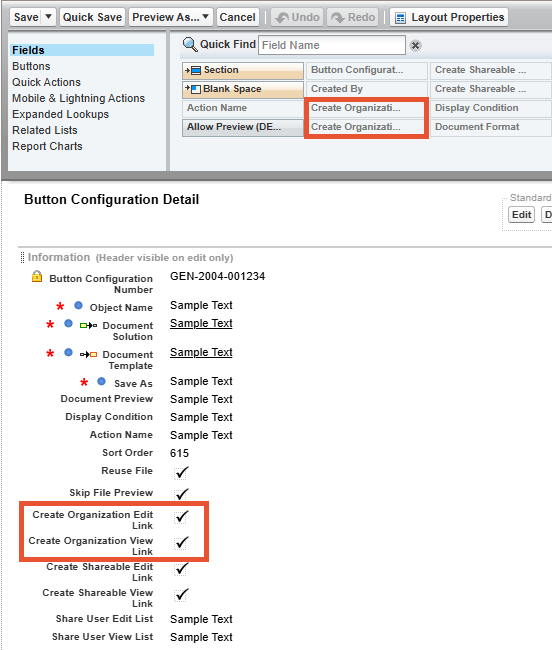
Follow these instructions to finalize the upgrade process. - In the "Setup" settings, drag the following fields to the Page Layout of the "Button Configuration" Object:
- Create Organization Edit Link
- Create Organization View Link.
¶ Fixes
- The issue with the "Display Condition" feature in the "Document Selection" LWC component.
- The issue with generating the document that has the After Merge preview with the Aura button.
¶ Formica 6.2.2
Here's the small one to follow up.
Added one very useful improvement that got squeezed out from the previous release.
¶ Upgrading Notes
- The "Maven Headless" application defines how we work with templates. Make sure you have the Headless Settings configured in the Setup Assistant before proceeding with the generation process.
Follow these instructions to finalize the upgrade process.
¶ Improvements
- Attach several files to the email preview with the respective Flow Action.
¶ Formica 6.2.3
In this release, we introduce the PowerPoint templates: create, enrich with Salesforce data, and generate.
¶ New Features
¶ PowerPoint Document Templates
Create the PowerPoint Document Templates, build the PPTX templates with Salesforce data inside, upload, and generate such documents as PDF or PPTX.
¶ Upgrading Notes
Add the PPTX format value to the corresponding picklists on the Document Template, Button Configuration, Document Request, and Action Request Objects in Salesforce Setup settings:
-
Add the PPTX format value to the Values picklist on the Template Type field on the Document Template Object
-
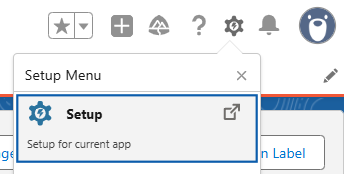
Open Salesforce Setup settings.
-
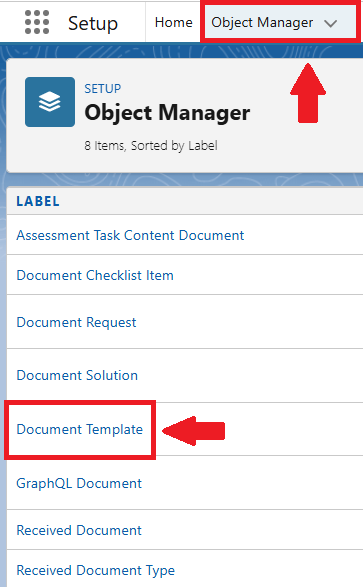
Navigate to the Object Manager tab and select the Document Template Object.
-
In the Fields and Relationships tab, select the Template Type field.

-
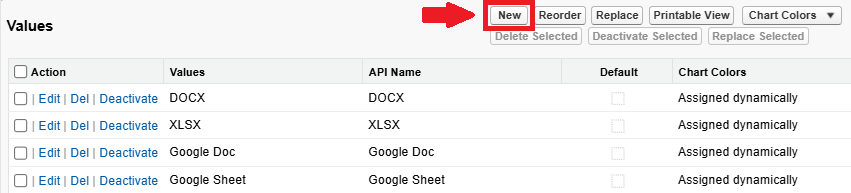
In the Values picklist section, click New.
-
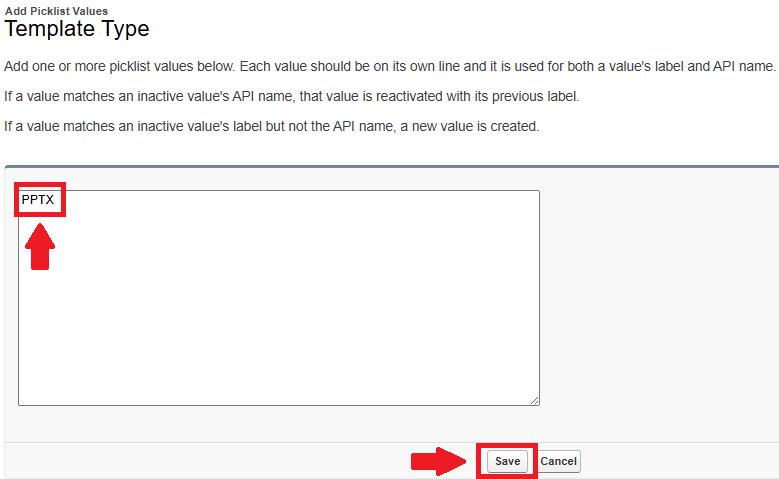
In the opened page, enter PPTX and Save.
-
If you want to have all the Microsoft formats together, you can reorder items in the Values list by placing the PPTX format closer to other Microsoft formats.
-
-
Add the PPTX format value to the Values picklist on the Document Format field on the Button Configuration Object
-
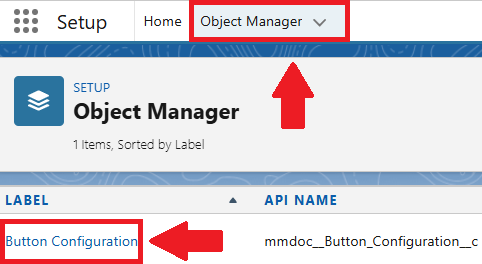
In the Salesforce Setup settings, navigate to the Object Manager tab and select the Button Configuration Object.
-
In the Fields and Relationships tab, select the Document Format field.

-
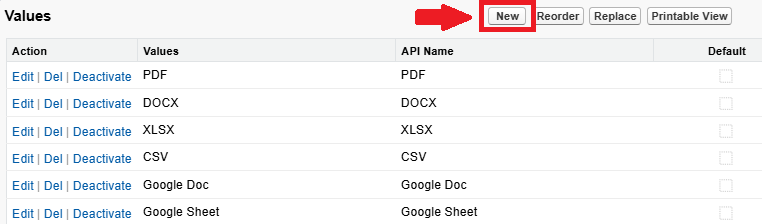
In the Values picklist section, click New.
-
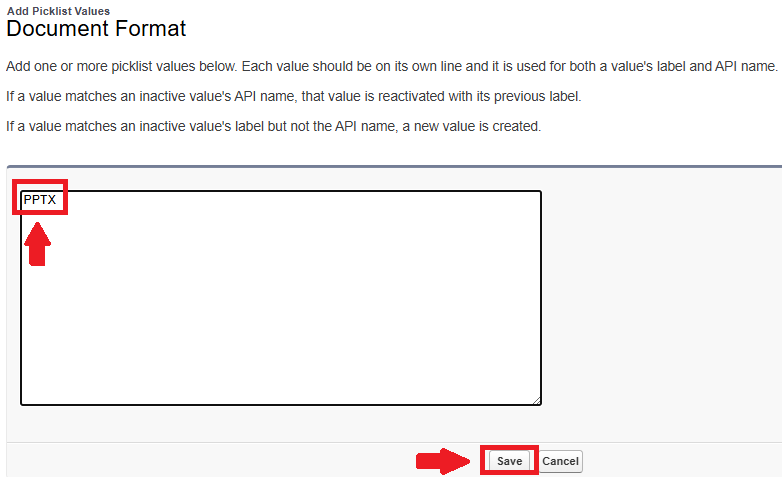
In the opened page, enter PPTX and Save.
-
If you want to have all the Microsoft formats together, you can reorder items in the Values list by placing the PPTX format closer to other Microsoft formats.
-
-
Add the PPTX format value to the Values picklist on the Document Format field on the Document Request Object
-
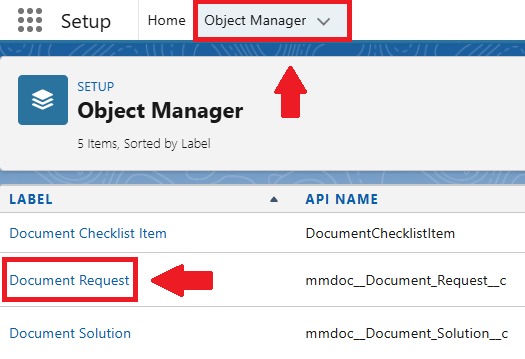
In the Salesforce Setup settings, navigate to the Object Manager tab and select the Document Request Object.
-
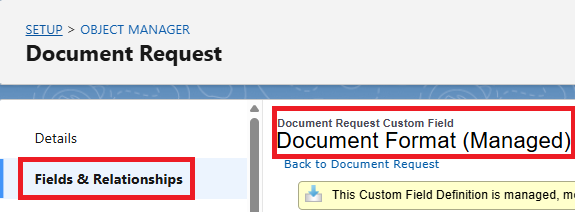
In the Fields and Relationships tab, select the Document Format field.
-
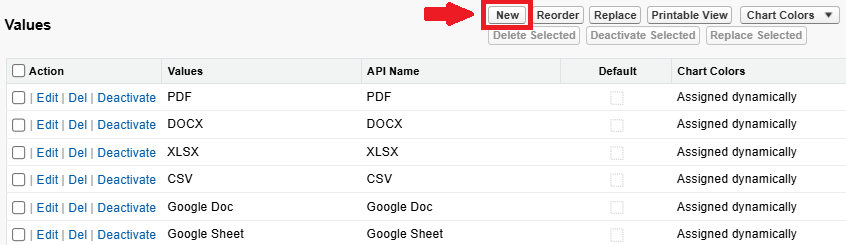
In the Values picklist section, click New.
-
In the opened page, enter PPTX and Save.
-
If you want to have all the Microsoft formats together, you can reorder items in the Values list by placing the PPTX format closer to other Microsoft formats.
-
-
Add the PPTX format value to the Values picklist on the Document Format field on the Action Request Object
-
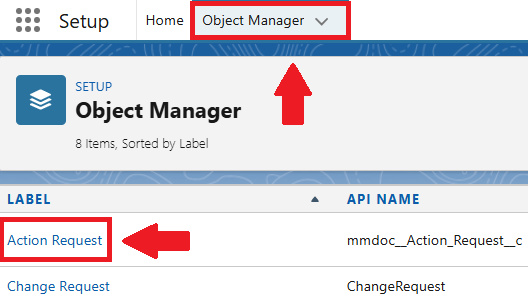
In the Salesforce Setup settings, navigate to the Object Manager tab and select the Action Request Object.
-
In the Fields and Relationships tab select the Document Format field.

-
In the Values picklist section, click New.
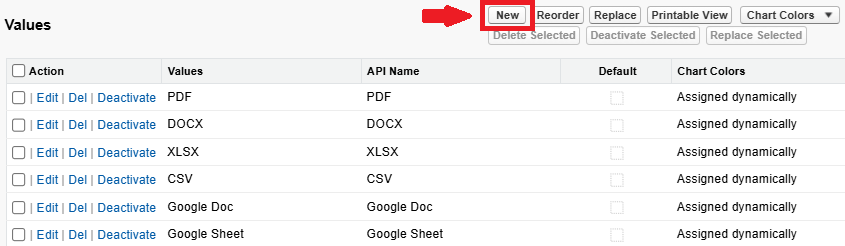
-
In the opened page, enter PPTX and mark the Copy Document and Generate Document Actions.
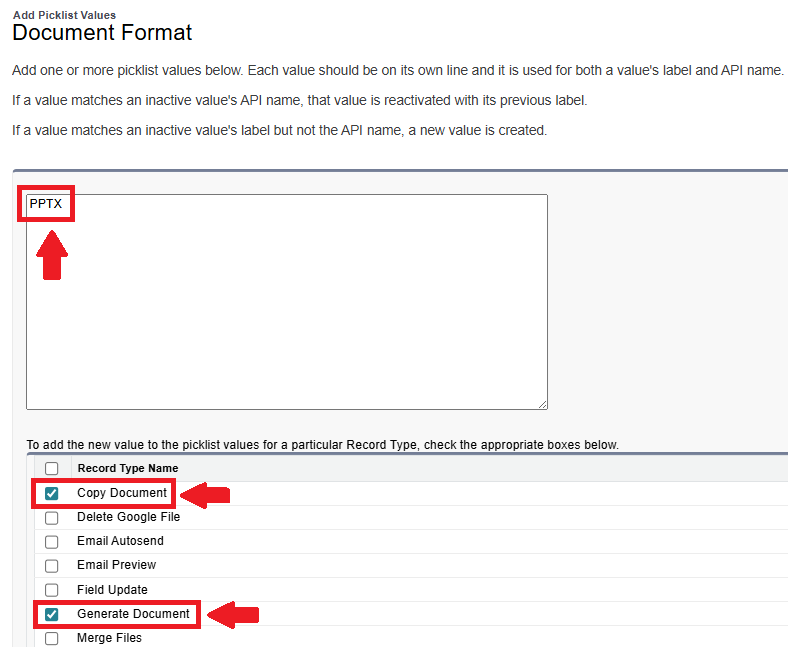
-
Save changes.
-
If you want to have all the Microsoft formats together, you can reorder items in the Values list by placing the PPTX format closer to other Microsoft formats.
-
¶ Improvements
- Metering dimensions are set to count only the number of the generated and managed documents, spreadsheets, and presentations.
¶ Formica 6.2.4
With this release we improved background processes handling Async server-client communication.
¶ Improvements
- Improved Async processing so the generation doesn't fail if the network is changed during the proceess.
- Improved handling of invalid access tokens.
¶ Formica 6.2.5
This small patch improves the After Merge Preview functionality.
¶ Improvements
- The Refresh button is no longer displayed when a document preview is unavailable, such as when sharing is restricted to domain users or a specific sharing list.