¶ Maven Documents 4.1.0 Release Notes
¶ Release Summary
We can't stop coming up with new ways of improving the Document generation process.
This time we bring to life new features that will help you to make your Document generation process even more flexible and enriched.
We are talking about the ability to edit the documents while previewing them on Salesforce and the ability to add Rich Text fields to the Document Template with Template Builder.
And of course, a bunch of improvements and fixes are included in the Release as well.
You can use the following link to install or upgrade the application.
¶ New Features
¶ Document Preview - Before and/or After Merge
With this release, we are giving you an opportunity to edit the Document in the Preview window on Salesforce. You will be able to make amendments before and/or after the Document is merged.
¶ Merge Rich Text Fields
This feature stands for the ability to use Rich Text Fields on Document Templates. You can add them to the query in Query Builder and then insert them in the Document Template with Template Builder as the Rich Text element.
¶ Upgrading Notes
- After the update of the old version to this one, the Allow Preview checkbox from Button Configuration is being deprecated. So you need to remove this field from the page layout and add the Document Preview field instead.
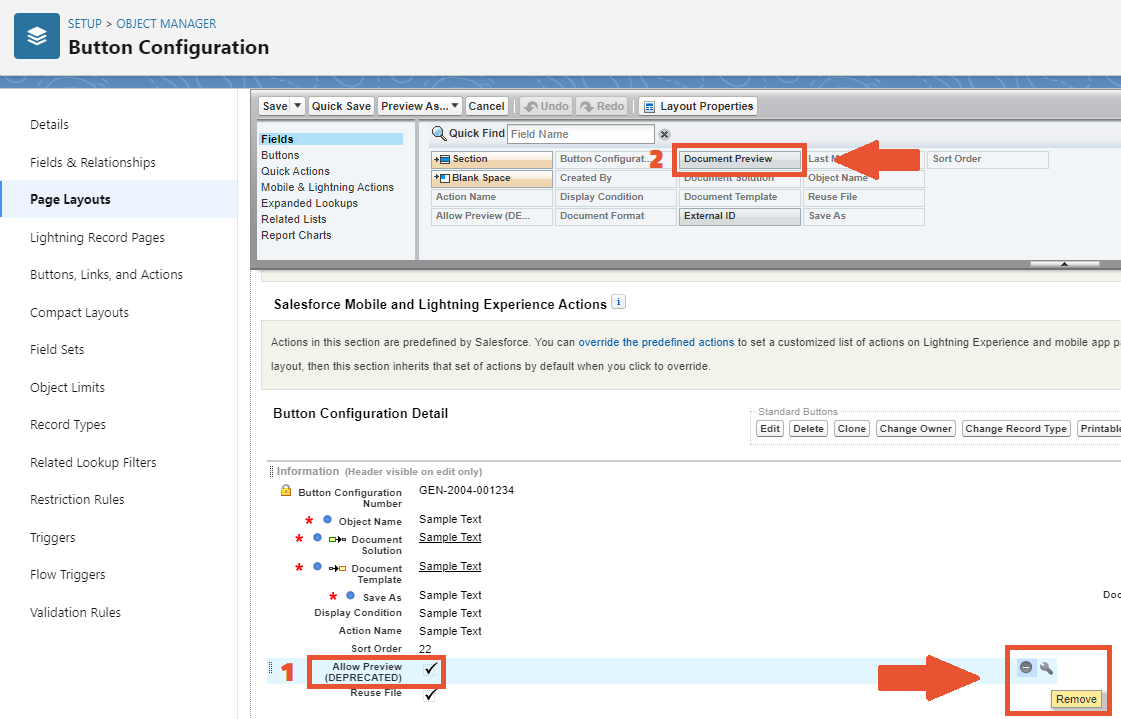

- In the Button Configuration Page Layout, click the Remove icon next to the Allow Preview field
- Drag the Document Preview field to the Information pane and place it between the Save As and Display Condition fields. Then save the Layout
- You also need to remove the Is Preview field from the Document Request Page Layout
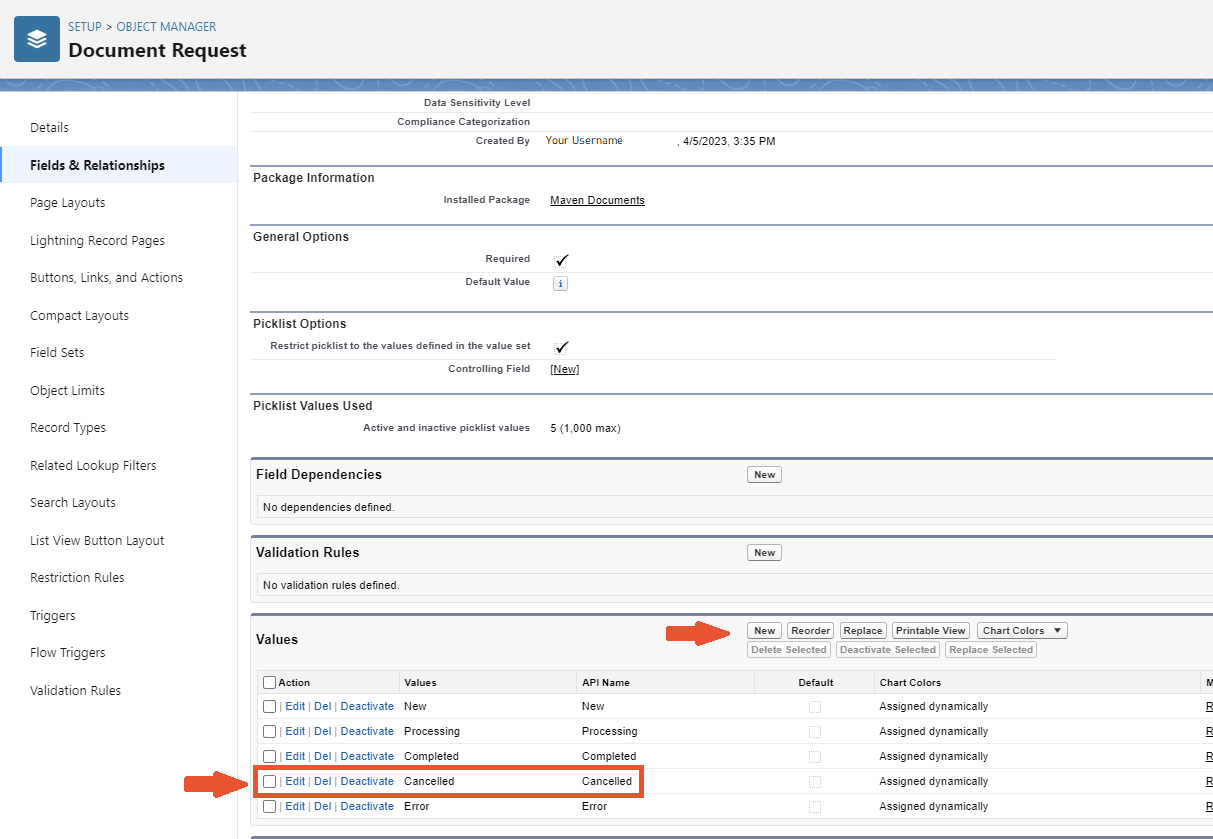
- Last but not least, you need to add the "Cancelled" value to the Status Field on the Document Request Object

¶ Fixed
- If an Object alias is used, Expression Fields are not being resolved correctly
- Generating a Template from Template Gallery (without any action after installing) results in an error
- Playground on Dev Orgs is not working
¶ Improvements
- Global Variable "B" can be used in another Global Variable "A", if "A" has been defined before "B"
- Now obsolete "Allow Preview" option is replaced with the improved "Document Preview" one
- You can now query Content Version "VersionData" field in QueryBuilder
- Queries can also include Rich Text fields, (Hint: they can be used in the newly added Rich Text element)
- The limit for the maximum number of parallel Document Requests executions with "New" or "Processing" status now lasts for only 15 minutes instead of the unlimited time before